Setting Up Your First Search Index
There's Nothing to Set Up
Here's the best part about Ubiquity: you don't need to configure anything. There are no complicated settings to tweak, no folders to manually select, and no indexing options to figure out. Ubiquity handles everything for you automatically.
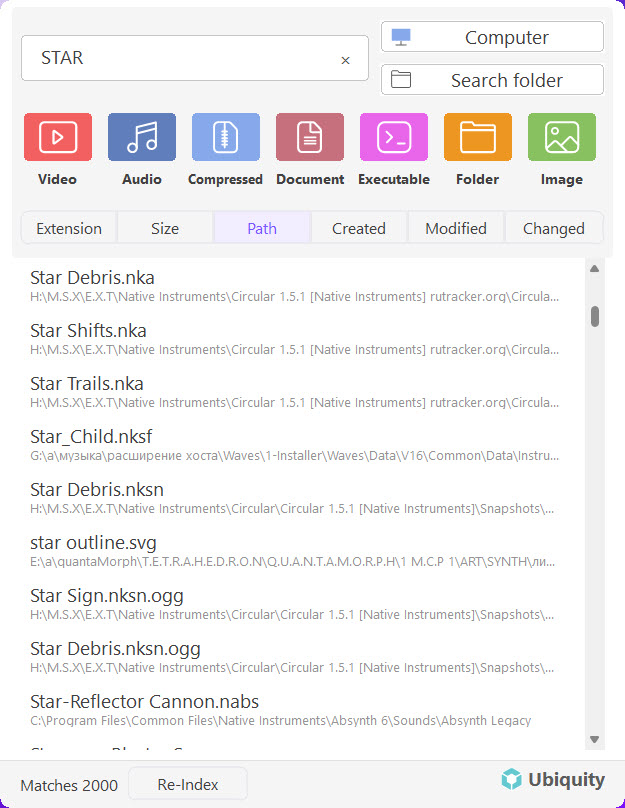
How Indexing Works
When you launch Ubiquity for the first time, it immediately starts building your search index in the background. You don't need to click anything or wait for a setup wizard — it just works.
The indexer scans your common file locations and organizes them so that every search you run is fast and accurate. The whole process happens silently behind the scenes while you continue using your computer as normal.
No Setup Required: Ubiquity automatically detects standard file locations on your system and begins indexing them right away. You can start searching within moments of your first launch.
What the Index Covers
By default, Ubiquity indexes the locations where your files are most likely to live:
- Documents, Downloads, Desktop — your main working folders.
- Common media folders — Pictures, Music, Videos.
- Other user-created folders — any additional locations detected on your drives.
This means the moment you save a file to any of these locations, Ubiquity already knows about it.
Catching New Files with Re-Index
After the initial index is built, Ubiquity keeps it up to date automatically most of the time. However, if you've recently added a lot of new files or moved things around and want to make sure the index is fully refreshed, you can trigger a re-index manually:
-
Open Ubiquity.
Press Ctrl + Space or click the tray icon to bring up the search window. -
Click the Re-Index button.
You'll find a small Re-Index option in the interface. Click it to tell Ubiquity to scan your files again from scratch. -
Wait a moment.
The re-index runs in the background. For most systems it finishes quickly. Once it's done, all your newly created files will appear in search results.
Tip: You only need to use Re-Index occasionally — for example, after creating a large batch of new files or installing new software. Day-to-day, Ubiquity keeps the index updated on its own.
That's It!
There's really nothing more to it. No configurations to save, no buttons to press, no options to choose. Ubiquity is designed to work instantly so you can focus on finding your files, not managing your search tool.
Next Steps
Your index is ready — now start searching! Here are some other helpful articles:
- Understanding the Interface — Learn about the search bar, results, and quick actions
- First Launch & Initial Setup — A quick overview of getting started
- Installing Ubiquity on Windows — If you haven't installed it yet